What Is a Download Manager? How Segmented Downloads Work
Your browser already downloads files. The difference shows with large files and many downloads.
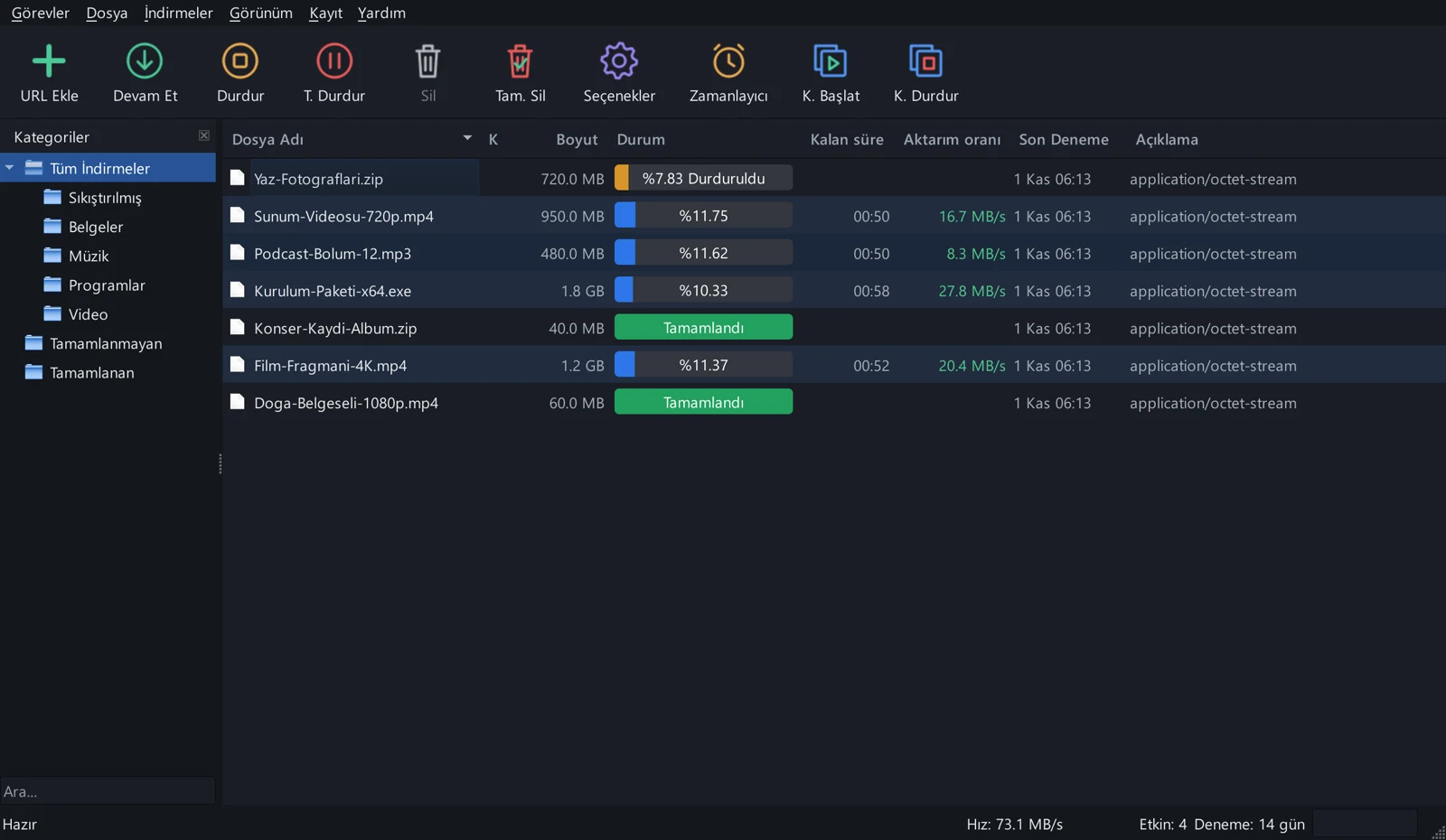
A download manager is a program that takes over downloading from your browser. That may sound unnecessary, since the browser already downloads files. The difference shows with large files and many downloads at once. This article explains how download managers work and when they help.
The limits of browser downloads
Browsers usually download over a single connection. That is fine for small files. However:
- When the connection drops or the computer goes to sleep, the download often starts over.
- You cannot limit download speed, so a big download can slow the internet for everyone else at home.
- You cannot schedule downloads for a set time.
- Downloaded files are not sorted by type; they all pile up in one folder.
How do segmented downloads work?
The best-known feature of download managers is segmented downloading. The idea: if the server supports it, the program requests different parts of the file separately. A 1 GB file, for example, is split into four parts and four connections run at once. As the parts arrive, they are joined into one file.
This is possible thanks to the HTTP Range request. If the server supports it, the client can ask for “the part of the file from this byte to that byte”. The same feature lets an interrupted download resume where it stopped.
Other benefits
Resume where you left off
When a download stops, the part already downloaded is kept. When the connection comes back, the download continues from that point instead of starting over.
Queue and scheduling
You can queue several downloads and schedule them for times when your connection is free.
Speed limit
By limiting the speed given to downloads, you can make video calls or play games at the same time.
Organisation
Downloads are sorted into categories such as video, music, documents and programs. You see what downloaded and where it is in one list.
Who needs one?
If you occasionally download a small PDF, your browser is enough. If you often download large files, long videos or many files, or your connection drops from time to time, a download manager saves a lot of time.
Stay safe
A download manager is installed on your computer and works with your browser, so only install programs from developers you trust, from their official sites. Check which permissions the browser extension asks for and keep the program up to date.
Frequently asked questions
Does a download manager increase my internet speed?
It does not increase the speed of your plan. But by getting around limits a server puts on a single connection, it can help you use your plan’s speed more fully.
Can every file be downloaded in parts?
No. The server has to support range requests. On servers that do not, the download runs as a single part.
Can it download videos too?
Many download managers can download videos. However, DRM-protected content cannot be downloaded, and you should only download content you have the right to.